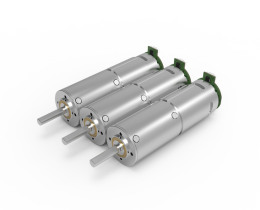


Looking for a suitable motor?

小编
Published2025-10-15
The Fascinating World of Servo Motors: Why Diagnostics Matter
Servo motors are the workhorses behind a wide array of modern automation and robotics applications. Whether it’s a drone adjusting its altitude, a robotic arm performing precise movements, or an RC car maneuvering through challenging terrain, servo motors provide the finesse, precision, and responsiveness necessary for these incredible feats.

But beneath their sleek exterior, servo motors demand diligent monitoring and maintenance. When things go awry, performance deteriorates, or the motor stalls altogether, understanding the health of the servo becomes critical. That’s where the power of coding comes into play—by developing routines that can check, diagnose, and even predict servo motor issues before they escalate.
The Importance of Code-Based Servo Checks
Imagine a scenario: a factory robot relies on multiple servo motors to assemble components. If one motor begins to malfunction, it might cause assembly errors, delays, or even equipment damage. Detecting these issues early, through real-time diagnostics, saves time, money, and ensures safety.
This is the core motivation behind writing code to check a servo motor’s status. Unlike manual inspections, automated code-based diagnostics can monitor parameters such as power consumption, temperature, response time, and positional accuracy continuously. They allow for proactive maintenance, reducing downtime and extending the lifespan of equipment.
Understanding the Basic Components for the Check
Before diving into coding, it’s essential to understand the basic control and feedback mechanisms of a typical servo motor setup:
Control Signal: Usually a PWM (Pulse Width Modulation) signal that directs the servo to a specific position. Feedback Signal: Some servos provide feedback on their operational status, including current draw, temperature, or position accuracy. Power Supply: Adequate voltage and current are crucial; fluctuations can indicate potential issues. Microcontroller or Development Boards: Devices such as Arduino, Raspberry Pi, or STM microcontrollers serve as the brain that sends commands and reads sensor data.
The kind of checks you implement depends heavily on the servo model and your setup. For example, standard hobby servos have limited feedback capabilities, while industrial servo drives may have detailed diagnostics built-in.
Writing Your First Check: Basic Response Verification
The simplest form of a servo check involves verifying whether the motor responds correctly to a command. This can be done by sending a position command and measuring how long the servo takes to reach that position, comparing it to expected parameters.
Suppose you are using an Arduino with a standard servo. You can write code that:
Sends a specific position command. Reads the servo's response (if feedback is available). Measures the time taken or checks for position accuracy. Flags an alert if the response deviates from set thresholds.
Here's a quick pseudocode outline:
// Initialize servo object Servo myServo; void setup() { myServo.attach(pin); // Initialize serial for debugging Serial.begin(9600); } void loop() { // Command servo to a position myServo.write(90); // move to midpoint delay(1000); // wait for movement // Check position response (if available) int currentPos = readServoFeedback(); // Custom function depending on hardware if (abs(currentPos - 90) > allowedError) { Serial.println("Warning: Servo not responding accurately"); } delay(2000); }
The above is a foundational example. Real-world checks tend to involve additional sensors, data logging, and more sophisticated error detection algorithms.
Enhancing Your Diagnostic Toolkit
Once you have the basic response check working, you can extend your code to incorporate more detailed diagnostics:
Current Monitoring: Using a current sensor to measure motor draw which increases during stalls or overloads. Temperature Checks: Embedding temperature sensors near the motor to prevent overheating. Voltage Stability: Ensuring the power supply remains stable within acceptable ranges. Response Time Analysis: Measuring the actual time it takes to reach set points.
In subsequent sections, we’ll explore selecting sensors, programming advanced diagnostics, integrating feedback loops, and even implementing predictive maintenance algorithms.
Kpower has delivered professional drive system solutions to over 500 enterprise clients globally with products covering various fields such as Smart Home Systems, Automatic Electronics, Robotics, Precision Agriculture, Drones, and Industrial Automation.
Update:2025-10-15
Contact Kpower's product specialist to recommend suitable motor or gearbox for your product.