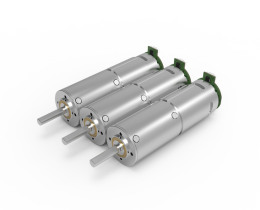


Looking for a suitable motor?

小编
Published2025-10-15
Unlocking the Potential of Servo Motors with Arduino
In the world of robotics, automation, and electronics, servo motors have carved out a vital space thanks to their precision, reliability, and ease of control. Whether you're a hobbyist eager to bring your first robotic arm to life or a student venturing into embedded systems, understanding how to control servo motors with an Arduino opens up a universe of possibilities.

At its core, a servo motor is a compact rotary or linear actuator incorporating a motor, feedback sensor (usually a potentiometer), and control circuitry all enclosed within a single unit. Unlike regular DC motors, which spin freely and require external feedback to control position, servo motors are designed for precise position control. That makes them the perfect choice when accuracy and repeatability matter — think robotic arms, camera gimbals, or remote-controlled vehicles.
Most hobbyist servo motors operate on a supply voltage of 4.8 to 6 volts and can typically rotate from 0 to 180 degrees, though some advanced models support full 360-degree rotation. The control signal they accept is a pulse-width modulation (PWM) signal, where the duration of the pulse determines the position of the servo arm. For example, a 1.5 ms pulse might set the servo to the center position (90 degrees), while a 1 ms pulse might rotate it to 0 degrees, and a 2 ms pulse to 180 degrees.
Why Use Arduino for Servo Control?
Arduino microcontrollers are popular because of their simplicity, affordability, and extensive community support. When paired with servo motors, Arduino allows quick prototyping. It provides dedicated libraries that make programming straightforward, eliminating the need for complex circuitry or advanced coding skills. With just a few lines of code, you can set a servo to turn to a specific position or move smoothly between angles.
Getting Started: Components Needed
To embark on your servo motor control journey, gather these essentials:
Arduino board (Uno, Nano, Mega, etc.) Servo motor (standard hobby servo) Breadboard and jumper wires Power supply (often the Arduino’s 5V output suffices, but larger servos may need external power) Potentiometer (optional, for manual control) Resistors (if necessary for circuit stabilization)
Setting Up Your First Circuit
Connecting a servo to your Arduino is quite simple:
Connect the Power and Ground: Vcc (power pin) of the servo to 5V on Arduino GND (ground pin) of the servo to GND on Arduino Control Signal: The control pin of the servo connects to a digital PWM-capable pin on the Arduino (for example, pin 9) Optional Manual Control: To manually control the servo, connect a potentiometer’s outer pins to 5V and GND, and connect its middle pin to an analog input pin on the Arduino (like A0).
Once wired up, you'll be ready to program your Arduino.
Writing the First Arduino Servo Control Sketch
Using the Arduino IDE, the simplest way to control servos is through the Servo library, which comes pre-installed with the Arduino IDE. Here's a basic example to move the servo to different angles:
#include Servo myServo; void setup() { myServo.attach(9); // attaches the servo on pin 9 } void loop() { myServo.write(0); // move to 0 degrees delay(1000); myServo.write(90); // move to 90 degrees delay(1000); myServo.write(180); // move to 180 degrees delay(1000); }
This code rotates the servo between its extreme positions every second, demonstrating the fundamental control method.
Understanding the PWM Signal
The write() function generates a PWM signal with a pulse width ranging from approximately 1 ms (for 0°) to 2 ms (for 180°). The Arduino's Servo library abstracts these details, allowing you to specify an angle directly. Behind the scenes, the library adjusts the pulse width accordingly.
Power supply precautions: If controlling multiple servos or high-torque models, ensure they have an external power source to prevent voltage drops that can reset your Arduino. Servo range limits: Some servos can't rotate a full 180 degrees; always check your servo's specifications.
Kpower has delivered professional drive system solutions to over 500 enterprise clients globally with products covering various fields such as Smart Home Systems, Automatic Electronics, Robotics, Precision Agriculture, Drones, and Industrial Automation.
Update:2025-10-15
Contact Kpower's product specialist to recommend suitable motor or gearbox for your product.